124 lines
3.6 KiB
Markdown
124 lines
3.6 KiB
Markdown

|
[](https://plus.wxauto.org)
|
|||
|
|
|
|||
|
|
# wxautoV2版本
|
|||
|
|
|
|||
|
|
**文档**:
|
|||
|
|
[使用文档](https://docs.wxauto.org) |
|
|||
|
|
[云服务器wxauto部署指南](https://docs.wxauto.org/other/deploy)
|
|||
|
|
|
|||
|
|
| 环境 | 版本 |
|
|||
|
|
| :----: | :--: |
|
|||
|
|
| OS | [](https://www.microsoft.com/) |
|
|||
|
|
| 微信 | [](https://pan.baidu.com/s/1FvSw0Fk54GGvmQq8xSrNjA?pwd=vsmj) |
|
|||
|
|
| Python | [](https://www.python.org/)|
|
|||
|
|
|
|||
|
|
|
|||
|
|
|
|||
|
|
[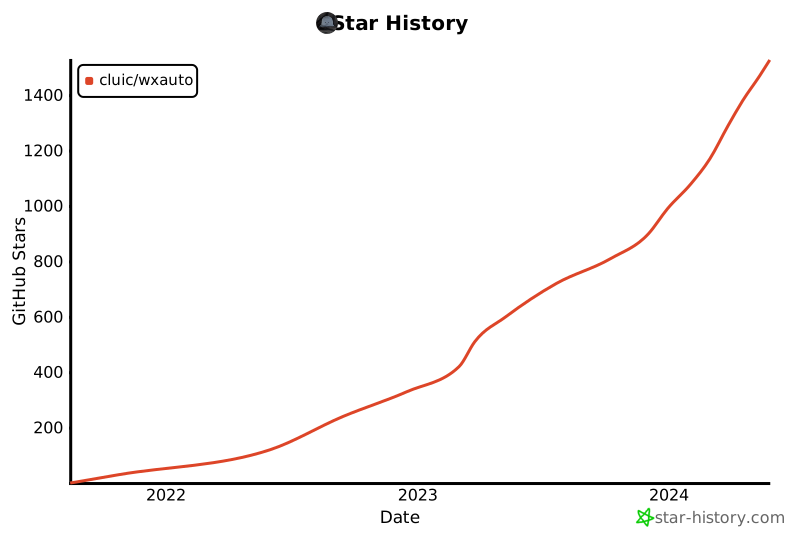](https://star-history.com/#cluic/wxauto)
|
|||
|
|
|
|||
|
|
|
|||
|
|
## 使用示例
|
|||
|
|
|
|||
|
|
### 1. 基本使用
|
|||
|
|
|
|||
|
|
```python
|
|||
|
|
from wxauto import WeChat
|
|||
|
|
|
|||
|
|
# 初始化微信实例
|
|||
|
|
wx = WeChat()
|
|||
|
|
|
|||
|
|
# 发送消息
|
|||
|
|
wx.SendMsg("你好", who="张三")
|
|||
|
|
|
|||
|
|
# 获取当前聊天窗口消息
|
|||
|
|
msgs = wx.GetAllMessage()
|
|||
|
|
for msg in msgs:
|
|||
|
|
print(f"消息内容: {msg.content}, 消息类型: {msg.type}")
|
|||
|
|
```
|
|||
|
|
|
|||
|
|
### 2. 监听消息
|
|||
|
|
|
|||
|
|
```python
|
|||
|
|
from wxauto import WeChat
|
|||
|
|
from wxauto.msgs import FriendMessage
|
|||
|
|
import time
|
|||
|
|
|
|||
|
|
wx = WeChat()
|
|||
|
|
|
|||
|
|
# 消息处理函数
|
|||
|
|
def on_message(msg, chat):
|
|||
|
|
text = f'[{msg.type} {msg.attr}]{chat} - {msg.content}'
|
|||
|
|
print(text)
|
|||
|
|
with open('msgs.txt', 'a', encoding='utf-8') as f:
|
|||
|
|
f.write(text + '\n')
|
|||
|
|
|
|||
|
|
if msg.type in ('image', 'video'):
|
|||
|
|
print(msg.download())
|
|||
|
|
|
|||
|
|
if isinstance(msg, FriendMessage):
|
|||
|
|
time.sleep(len(msg.content))
|
|||
|
|
msg.quote('收到')
|
|||
|
|
|
|||
|
|
...# 其他处理逻辑,配合Message类的各种方法,可以实现各种功能
|
|||
|
|
|
|||
|
|
# 添加监听,监听到的消息用on_message函数进行处理
|
|||
|
|
wx.AddListenChat(nickname="张三", callback=on_message)
|
|||
|
|
|
|||
|
|
# ... 程序运行一段时间后 ...
|
|||
|
|
|
|||
|
|
# 移除监听
|
|||
|
|
wx.RemoveListenChat(nickname="张三")
|
|||
|
|
```
|
|||
|
|
## 交流
|
|||
|
|
|
|||
|
|
[微信交流群](https://plus.wxauto.org/plus/#%E8%8E%B7%E5%8F%96plus)
|
|||
|
|
|
|||
|
|
## 最后
|
|||
|
|
如果对您有帮助,希望可以帮忙点个Star,如果您正在使用这个项目,可以将右上角的 Unwatch 点为 Watching,以便在我更新或修复某些 Bug 后即使收到反馈,感谢您的支持,非常感谢!
|
|||
|
|
|
|||
|
|
## 免责声明
|
|||
|
|
代码仅用于对UIAutomation技术的交流学习使用,禁止用于实际生产项目,请勿用于非法用途和商业用途!如因此产生任何法律纠纷,均与作者无关!
|
|||
|
|
|
|||
|
|
|
|||
|
|
### 3. 岗位信息提取(新增功能)
|
|||
|
|
|
|||
|
|
自动监听指定微信群,使用阿里云百炼API智能提取招聘岗位的结构化信息。
|
|||
|
|
|
|||
|
|
**v1.1 新功能:**
|
|||
|
|
- ✓ 支持多群组同时监听
|
|||
|
|
- ✓ 使用UUID作为岗位唯一标识
|
|||
|
|
- ✓ 界面显示岗位来源群组
|
|||
|
|
- ✓ API密钥打包时配置
|
|||
|
|
|
|||
|
|
```python
|
|||
|
|
# 1. 配置 config.json
|
|||
|
|
{
|
|||
|
|
"target_groups": [
|
|||
|
|
"招聘信息群1",
|
|||
|
|
"招聘信息群2"
|
|||
|
|
],
|
|||
|
|
"bailian_api_url": "https://dashscope.aliyuncs.com/api/v1/services/aigc/text-generation/generation",
|
|||
|
|
"api_key": "your-api-key",
|
|||
|
|
"output_file": "jobs_data.json"
|
|||
|
|
}
|
|||
|
|
|
|||
|
|
# 2. 配置API密钥(打包前)
|
|||
|
|
配置API密钥.bat
|
|||
|
|
|
|||
|
|
# 3. 运行岗位提取程序
|
|||
|
|
python job_extractor_gui.py
|
|||
|
|
|
|||
|
|
# 4. 查看提取的岗位数据
|
|||
|
|
python view_jobs.py
|
|||
|
|
|
|||
|
|
# 5. 测试API连接
|
|||
|
|
python test_api.py
|
|||
|
|
```
|
|||
|
|
|
|||
|
|
提取的信息包括:工作名称、工作描述、工作地点、薪资范围、公司名称、联系人、联系方式等。
|
|||
|
|
|
|||
|
|
详细使用说明请查看:
|
|||
|
|
- [多群组版本使用说明.md](多群组版本使用说明.md) ⭐推荐
|
|||
|
|
- [GUI版本使用说明.md](GUI版本使用说明.md)
|
|||
|
|
- [岗位提取使用说明.md](岗位提取使用说明.md)
|